
Looking for a custom LEGO® cat that looks like your cat, not just a cat? A custom brick set is designed from your own photos.
LEGO® is a trademark of the LEGO Group, which does not sponsor, authorize or endorse Nooks. Nooks kits are custom brick sets, not official LEGO® sets.
Cats are trickier than dogs, and anyone who lives with one knows why. The likeness hides in small things: how the stripes break over the shoulder, the white bib, the ears angled slightly back, the tail curled round the paws.
We take those details from your photos instead of from a stock cat.
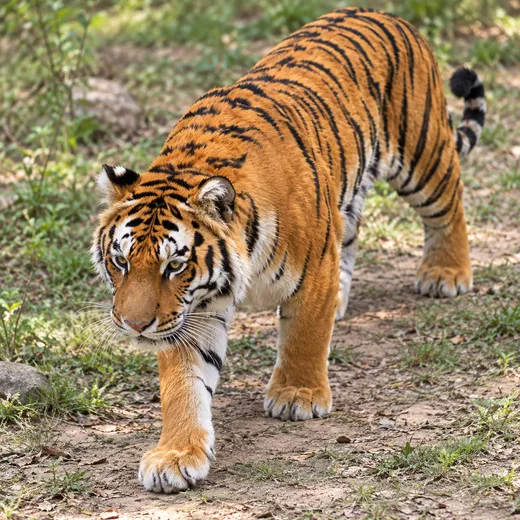
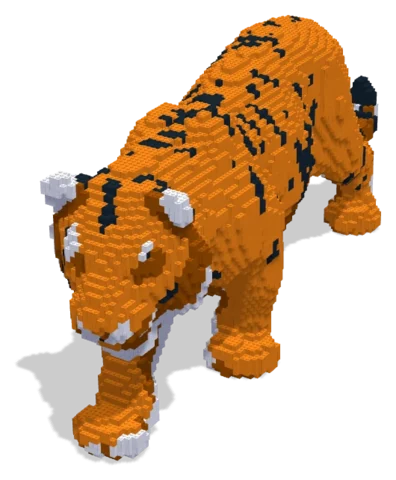 Bengal Tiger9,185 parts · 34 × 110 × 49 cmSee the set →
Coat patterns in bricks
Bricks only come in a fixed set of colours, so a coat can't be copied pixel by pixel; it has to be translated. This is where the designer's judgement matters:
- Tabbies: the stripes are simplified into bands that follow the body, so the model reads as striped from any angle.
- Tuxedos and bicolours: the white areas (bib, socks, muzzle) are kept exact, because they are what people recognise first.
- Tortoiseshells and calicos: the patches are placed where they really are on your cat. Tell us which side shows the most orange.
- Solid colours: the shape carries the likeness, so ear set and body shape get extra attention.
Which photos to send
Cats don't pose on request, so send whatever you have. These three help most:
- A clear side view of the whole cat, sitting or lying.
- The face, straight on, ideally at their eye level.
- Their signature pose: the loaf, the curl, the sprawl.
If the markings differ from one side to the other, send both. A one-line note like "white tip on the tail" catches anything the pictures miss. Our photo guide has more tips.
Other small pets
Design with your agent
Connect a compatible agent through the connection guide. Bring a clear photo and describe the details, size and parts budget you want. Your agent can work on the same project you open in the Nooks workbench.
Preview and check
Inspect the model from several angles, review its validation results, and ask your agent to revise it. A design still needs your review before you source parts and build it.
Your manual and parts list
Export the digital step-by-step manual, parts list and BrickLink wanted list from the workbench. The manual follows the saved design; keep the exports together so the parts and steps match.
Estimate and buy parts
Upload the wanted list to BrickLink to check seller prices, availability, shipping and taxes.
Download the wanted-list XML and upload it to BrickLink to choose sellers and buy parts directly. Nooks provides the digital design tools.
Questions
Can I start with my own photo?
Yes. Bring a photo to your connected agent and describe the build you want. You can preview and edit its design in the workbench.
What do I get?
A digital design, building instructions and a parts list you can export. Buy physical parts separately from independent sellers.
Where can I check parts prices?
Upload the wanted list to BrickLink and review seller prices, shipping and taxes before buying.
Is Nooks affiliated with the LEGO Group?
No. Nooks is independent and is not affiliated with, sponsored or endorsed by the LEGO Group. LEGO® is a trademark of the LEGO Group.