
A small figure of yourself on the shelf sounds simple, yet making it look like you is hard: the likeness lives in the face, and bricks are square.
LEGO® is a trademark of the LEGO Group, which does not sponsor, authorize or endorse Nooks. Nooks kits are custom brick sets, not official LEGO® sets.
So the figure is stylised. It doesn't try to be a photograph. It picks out the few features people know you by and gets those exactly right.

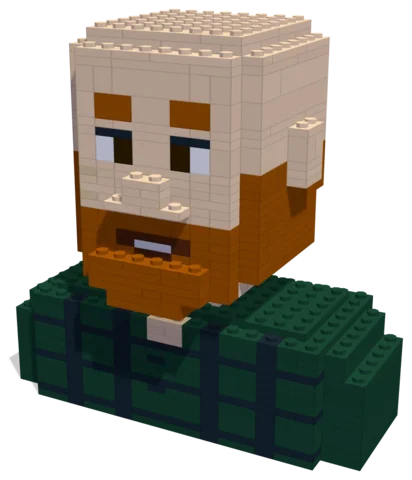 The Ginger Beard696 parts · 16 × 9 × 16 cmSee the set →

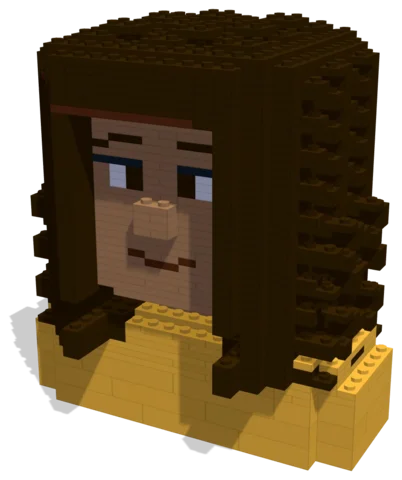 Golden Hour Curls1,428 parts · 16 × 12 × 18 cmSee the set →

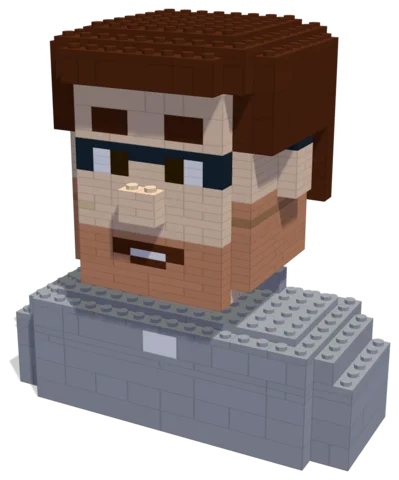 Café Laugh589 parts · 16 × 10 × 17 cmSee the set →

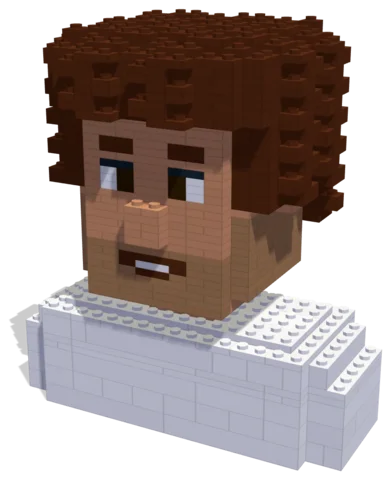 Party Laugh884 parts · 16 × 11 × 18 cmSee the set →
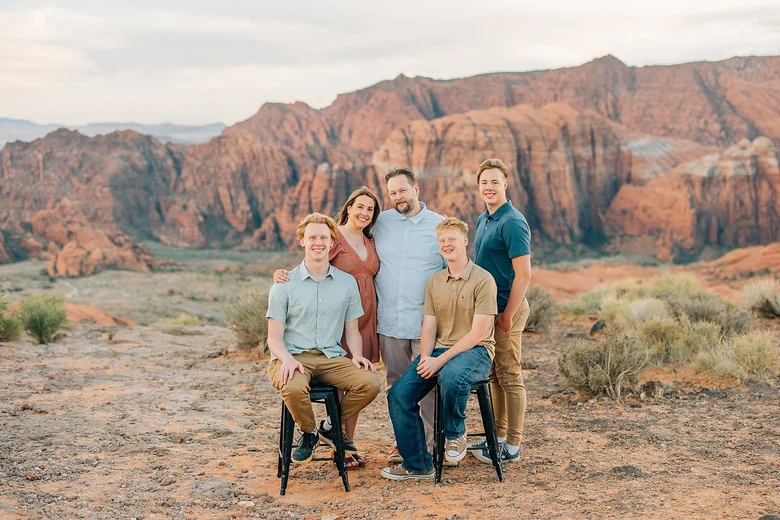
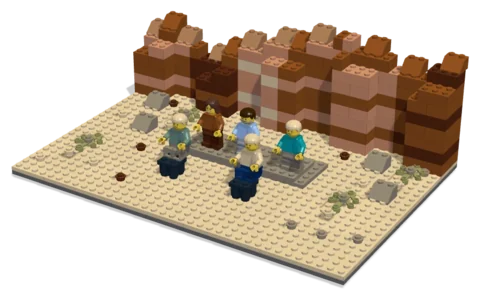 Red Cliffs Family337 parts · 29 × 20 × 9 cmSee the set →
What a figure captures
- Hair: the shape and colour first. Curls, buns, a fringe, a shaved head and a ginger beard all read clearly in bricks.
- Accessories: glasses, hats, earrings and headphones are often the strongest likeness of all.
- Clothes: a favourite colour, stripes, a team shirt.
- Expression and pose: laughing, side-on, arms crossed.
Figure, bust or scene?
- A bust (head and shoulders) is compact and shows the face and hair in the most detail. Good for a desk.
- A full figure shows the outfit and pose.
- A scene puts the person somewhere: a café table, a kitchen, a ski slope. See couples sets for two-person scenes.
Tell us which you want in your note, or leave it to the designer, who will pick what suits the photo.
The photo to send
Send a clear, well-lit photo of the face, roughly straight on, and add a full-length one if you want the whole figure. Natural light works best, and keep your glasses on if they are part of how people know you. More in the best photos for a custom brick set.
Who it is for
- Yourself, as a desk piece or a profile picture come to life.
- A parent or grandparent: see a gift for a dad who has everything.
- A friend, a colleague leaving, a teacher, a team.
- A whole family, as a scene.
Design with your agent
Connect a compatible agent through the connection guide. Bring a clear photo and describe the details, size and parts budget you want. Your agent can work on the same project you open in the Nooks workbench.
Preview and check
Inspect the model from several angles, review its validation results, and ask your agent to revise it. A design still needs your review before you source parts and build it.
Your manual and parts list
Export the digital step-by-step manual, parts list and BrickLink wanted list from the workbench. The manual follows the saved design; keep the exports together so the parts and steps match.
Estimate and buy parts
Upload the wanted list to BrickLink to check seller prices, availability, shipping and taxes.
Download the wanted-list XML and upload it to BrickLink to choose sellers and buy parts directly. Nooks provides the digital design tools.
Questions
Can I start with my own photo?
Yes. Bring a photo to your connected agent and describe the build you want. You can preview and edit its design in the workbench.
What do I get?
A digital design, building instructions and a parts list you can export. Buy physical parts separately from independent sellers.
Where can I check parts prices?
Upload the wanted list to BrickLink and review seller prices, shipping and taxes before buying.
Is Nooks affiliated with the LEGO Group?
No. Nooks is independent and is not affiliated with, sponsored or endorsed by the LEGO Group. LEGO® is a trademark of the LEGO Group.